Go Snappy
Look, mom, no Photoshop...
The picture below is something quite unlikely to be seen:
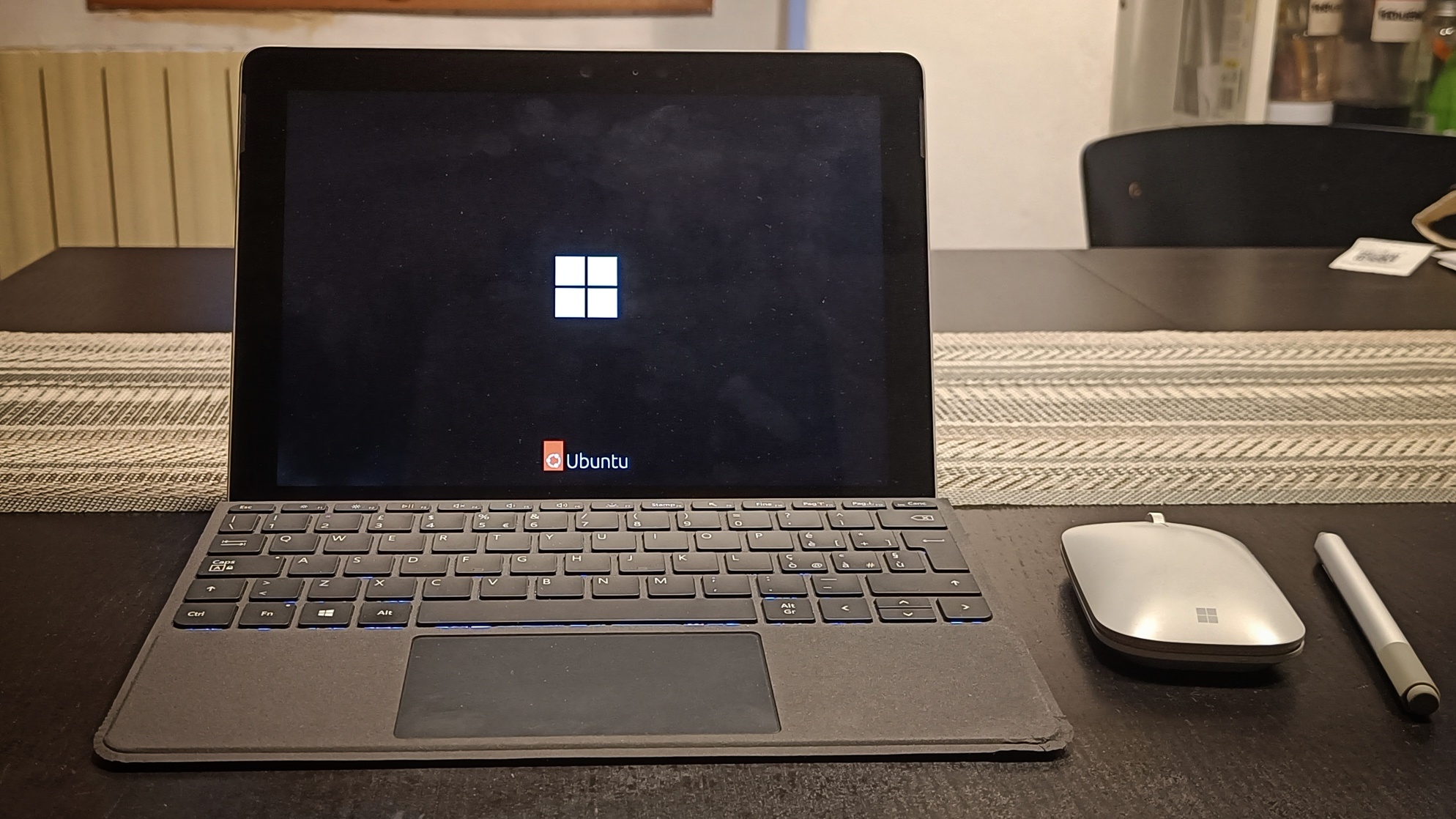
It reminds me of those sweet pictures where puppies and kittens play together as if they were siblings, that from time to time spread around on social media of all kinds, get posted and reposted all over, and end up saturating computing and storage resources only to let us complain about the rising price of RAM and disks.
I think it's quite clear that no editing has been used, apart from some straightening just because I'm not able to take straight pictures with the phone: the screen is quite dirty, and the location is messy enough to make it clear that it is not a made up thing, nor a product of AI.
A dirty little trick
The point is that Microsoft played me a dirty little trick.
When the first generation of Surface Go popped out, I immediately liked it for several reasons:
- it looked very small, yet the reviews said it could actually be used as a PC
- it had a series of great accessories, such as the cover and the pen
- it could be used in two ways, as a tablet and as a PC, since the OS could adapt to the use
- although not excessively expensive, it looked like a high quality product, something made to last
and other features. I bought one, which at the time sported Windows 8.1, the full package: machine with 8GB RAM and a real SSD, keyboard cover, pen, and mouse. And I found that my expectations were met: although at the time I was not really Windows friendly (I had only recently switched from Ubuntu, which at the time I used to consider a perfect desktop environment to get things done), I found that Windows 8 actually did what it promised on small devices. In fact, for instance, the tile UI might have been far from perfect on desktops and laptops, but it was quite enjoyable and useful on smaller devices that could be interchangeably used as PCs and tablets.
I have been using almost only my Surface Go on mobility, while relying on an older desktop PC in my office, for a couple of years or more, until my employer almost forced me to get a 13 inch laptop to use in and out of office. Ok, it was a pretty good machine, surely it outperformed the poor Surface Go in terms of power, and I started using the small beastie (which, meanwhile, moved to Windows 10) much less. The screen was bigger, but my chronical backpain didn't thank the move.
I still kept caring for my Surface Go by updating it, in order to continue to use it in situations where even carrying a laptop was overkill.
Just to find, one day, that the device was not eligible for update to Windows 11.
There is more: I had a problem with the battery, which started inflating, and it necessarily had to be changed. I contacted the helpdesk, which kindly answered that the device could not be repaired and that Microsoft wouldn't enact any type of trade-in policy for upgrades.
Maybe five years had passed since I bought it, and Microsoft basically told me that I owned a sleek but useless ornament. In the end I decided to buy a normal laptop for my personal use (not a Microsoft product this time, of course), and started looking for unofficial repair centers which could help me at least to get the thing working again. But no way, no repair center would consider operating on a machine for which the manufacturer itself didn't provide spare parts.
My brother, who has several abilities, one of which is to repair almost everything, managed to find a new battery and revived the poor Surface Go.
Back to Ubuntu
Finally I decided to give Ubuntu another try. It hasn't been easy from the very first moment, since the Surface Go only has a single USB-C slot, and using a hub or docking station isn't always supported. So I had to find an USB-A to USB-C adapter. It has been almost certainly the adapter that slowed down the access to the bootable USB stick. But finally I managed to have Ubuntu installed on the machine, and the boot screen shown in the picture above. Of course I used the linux-surface kernel: these guys are doing a great work.
Not that everything is hunky-dory:
- the surface mouse, which is a normal BT mouse, requires to be removed from the known-devices list and re-registered in a running session in order to work: after a reboot or even a just wakeup (that is, every time the BT service is restarted), the mouse keeps disconnecting and reconnecting all the time;
- if the mouse is on when the Surface Go is started, its presence turns off the touchpad: combined with the point above, you have two non-working pointing device at the same time;
- the Caps-Lock LED does not turn on: it works because outside Linux it lights up when pressed, and the capital letters get actually locked when it's pressed once on Linux, however the LED is not working. That's a pity: I really liked that LED. The Fn-Lock LED works perfectly, on the contrary.
Anyway, I'm quite confident that I'll be able to google out a solution to these problems.
The machine actually works
The nice surprise is that there is no surprise.
As expected, the little machine runs way much faster, to the point that I'd say it's snappy: I only installed a barebones system, then added the few applications I need, and for sure I didn't choose to install any extra services besides the ones needed to run simple desktop sessions.
The usage is smooth, even "heavy" applications such as VS Code and Libreoffice are reactive. The screen is small, but enough to do some work especially when I'm around. And for sure, a package of less than two pounds (AC adapter included) for a fully working PC, with a small but clear screen, a quite comfortable keyboard (with an enjoyable touchpad), and absolutely no noisy fans, is a damn good thing.
And as for computing power, this thing compiles whenever from scratch (that is, it downloads and compiles all its dependencies too) in 3 minutes and 6 seconds. My laptop, with a full-fledged and newer CPU (provided with fans, of course), does the same thing in about half a minute less. By the way, I'm easily editing this post on the Surface Go.
I bet, the new life of my little Surface Go will be much better than the former one.